Mobile games have changed a lot over the years. They are no longer limited to simple puzzle or casual games. Popular games like PUBG Mobile, Free Fire Max, Genshin Impact, and Honkai: Star Rail need powerful hardware to run well. These games use detailed graphics, large maps, and many effects that put a heavy load on mobile devices.
Many smartphones struggle during long gaming sessions. They often become hot, drain the battery quickly, and start dropping frames after some time. This can affect gameplay, especially during battles where smooth performance matters the most.
Running Android games on a PC is a good solution. A desktop or gaming laptop usually has a stronger processor, more memory, and a better graphics card than a phone. However, not every Android emulator can make full use of this hardware. Older emulators often use more CPU power than needed, have memory problems, and may stutter while running demanding games.
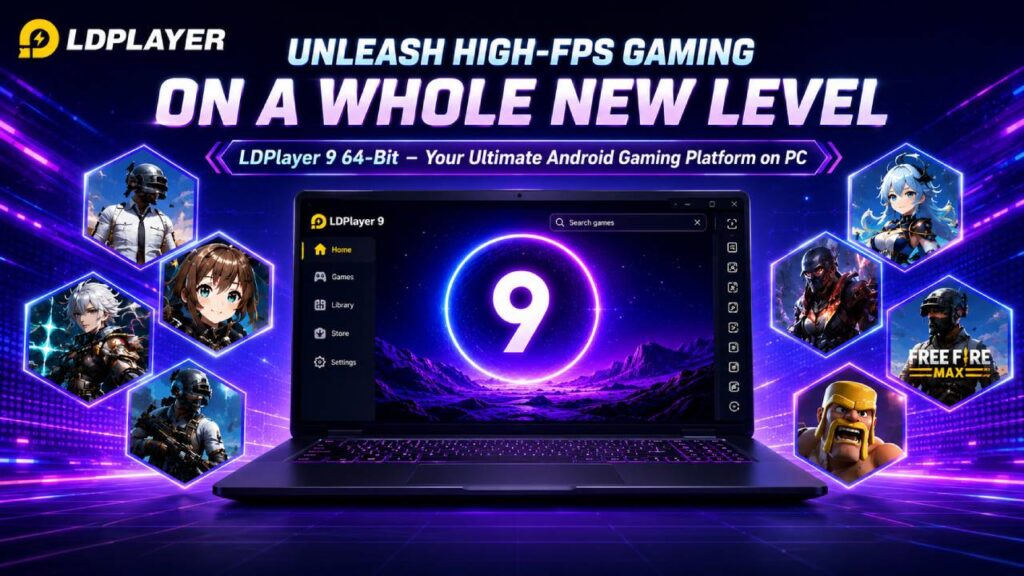
LDPlayer 9 64-Bit is designed to reduce these problems. It uses an Android 9 (Pie) system with 64-bit support to improve performance and make better use of modern PC hardware. As a result, many games run more smoothly while using system resources more efficiently.
Android 9 64-Bit Architecture
The main part of LDPlayer 9 is its Android 9 (Pie) engine. This version is built to work well with modern x86 and x64 processors found in today’s computers.
Many older Android emulators required separate 32-bit and 64-bit versions. This meant users sometimes had to install different emulator versions depending on the game they wanted to play. Managing multiple installations also used more storage and created compatibility problems.
LDPlayer 9 uses a unified 64-bit environment. It supports both 64-bit (ARM64-v8a) and older 32-bit (armeabi-v7a) Android applications in one installation. This makes game compatibility easier while reducing unnecessary processing.
Because many newer games are built for 64-bit systems, they can run with lower memory delay. This helps reduce small stutters that may happen when loading textures or moving through large game areas.
Android 9 also supports newer graphics features and memory management improvements compared to older Android 5.1 and Android 7.1 emulator builds. Better memory handling lowers the chance of out-of-memory errors during long gaming sessions.
Graphics Performance
Graphics play a major role in gaming performance. LDPlayer 9 supports Vulkan, OpenGL, and DirectX rendering. These technologies allow the emulator to communicate more efficiently with the computer’s graphics card.
Instead of placing most of the work on the CPU, the emulator moves more graphics processing to the dedicated GPU. This reduces CPU load and allows the graphics card to handle rendering more efficiently.
The result is smoother gameplay, fewer frame drops, and better performance during scenes with many visual effects.
Modern graphics cards are designed to process these workloads much faster than mobile hardware. Using desktop GPU power allows supported games to maintain more stable frame rates.
Features Made for Gaming
LDPlayer 9 includes several features designed for players who prefer using a keyboard and mouse instead of touch controls.
One useful feature is Smart Keymapping. Many popular games already include ready-made control layouts. This saves time because players do not need to assign every touch button manually.
The mouse can also switch automatically between aiming mode and cursor mode when opening maps, inventory screens, or menus. This makes controls feel more natural during gameplay.
Players can also adjust mouse sensitivity, aiming speed, scope sensitivity, and keyboard shortcuts to match their preferences.
High Frame Rate Support
Many mobile phones limit games to 60 FPS to reduce heat and battery usage. LDPlayer 9 removes this limitation for supported games.
The emulator includes High Frame Rate Mode, allowing games to run at 90 FPS, 120 FPS, or even 240 FPS when supported by both the game and the computer hardware.
It can also use different device profiles, such as high-end gaming phones, to unlock additional graphics settings inside supported games.
Higher frame rates provide smoother animations, quicker screen updates, and more responsive controls during fast gameplay.
Multi-Instance Support
Some players need to run more than one Android game at the same time. Others manage several game accounts at once.
LDPlayer 9 includes LDMultiplayer, which allows multiple emulator windows to run together. Each instance works independently while sharing the computer’s hardware resources.
The Synchronizer feature makes this process even easier. Actions performed in one emulator window can be copied to all other running instances at the same time.
This feature is useful for strategy games, idle games, and gacha games where players manage multiple accounts.
Macro Recording
Repeating the same actions every day can become time-consuming.
LDPlayer 9 includes an Operation Recorder that records mouse clicks, keyboard input, delays, and touch actions.
Recorded actions can later be played back with a single shortcut key. This helps automate routine in-game tasks without repeating the same manual steps every time.
Performance and Resource Usage
One of LDPlayer 9’s biggest strengths is efficient resource management.
The emulator supports multi-core processors and hardware virtualization through Intel VT-x or AMD-V. These technologies help improve processing speed while lowering CPU usage.
Compared to many older Android emulators, LDPlayer 9 generally starts faster, uses less RAM for each running instance, and delivers lower input delay during gameplay.
Lower input latency makes keyboard and mouse controls feel more responsive, especially in competitive games where quick reactions matter.
System Requirements
LDPlayer 9 supports Windows 7, Windows 8, Windows 10, and Windows 11 64-bit systems.
The minimum requirements include an Intel or AMD processor with virtualization enabled, 2 GB to 4 GB of system memory, around 36 GB of free storage, and graphics support for DirectX 11 with OpenGL 2.0.
For higher frame rates and smoother gameplay, stronger hardware is recommended. A processor such as an Intel Core i5-10500 or AMD Ryzen 5 3600, 16 GB of RAM, an NVMe SSD, and a graphics card like the NVIDIA GTX 1660 Ti, NVIDIA RTX series, or AMD Radeon RX 6000 series can provide much better performance.
Improving Performance
Several settings can improve gaming performance inside LDPlayer 9.
First, increase the CPU allocation to four cores or about half of the available physical cores. Then assign 4 GB or 8 GB of RAM if enough system memory is available.
Next, choose a display resolution that matches the computer’s hardware. A resolution of 1920×1080 provides sharper graphics, while 1280×720 can improve performance on lower-end systems.
Enable High Frame Rate Mode and select 120 FPS or 240 FPS if supported. Choosing a gaming phone profile, such as the ROG Phone 5, may unlock higher graphics options in supported games.
Finally, use Windows Graphics Settings to assign LDPlayer to the dedicated graphics card instead of the integrated GPU.
Fixing Common Problems
If gameplay is locked at 60 FPS, check whether V-Sync is enabled in the graphics driver settings. Also confirm that High Frame Rate Mode is turned on inside LDPlayer.
If the emulator reports that virtualization is disabled, restart the computer and enable Intel VT-x or AMD-V in the BIOS or UEFI settings.
If Hyper-V, Windows Hypervisor Platform, Virtual Machine Platform, or Memory Integrity causes conflicts, disable these Windows features and restart the computer.
If graphics problems or black screens appear, switch between OpenGL and DirectX rendering modes. Updating graphics drivers may also solve compatibility issues.
Final Words
LDPlayer 9 64-Bit is built to provide better Android gaming performance on Windows PCs. Its Android 9 engine, unified 64-bit support, hardware virtualization, GPU acceleration, and gaming features help reduce many of the problems found in older Android emulators.
Support for high frame rates, keyboard and mouse controls, multiple emulator instances, and macro recording makes it suitable for both competitive games and everyday mobile gaming. When combined with the right hardware and settings, LDPlayer 9 delivers a smoother and more stable Android gaming experience on PC.